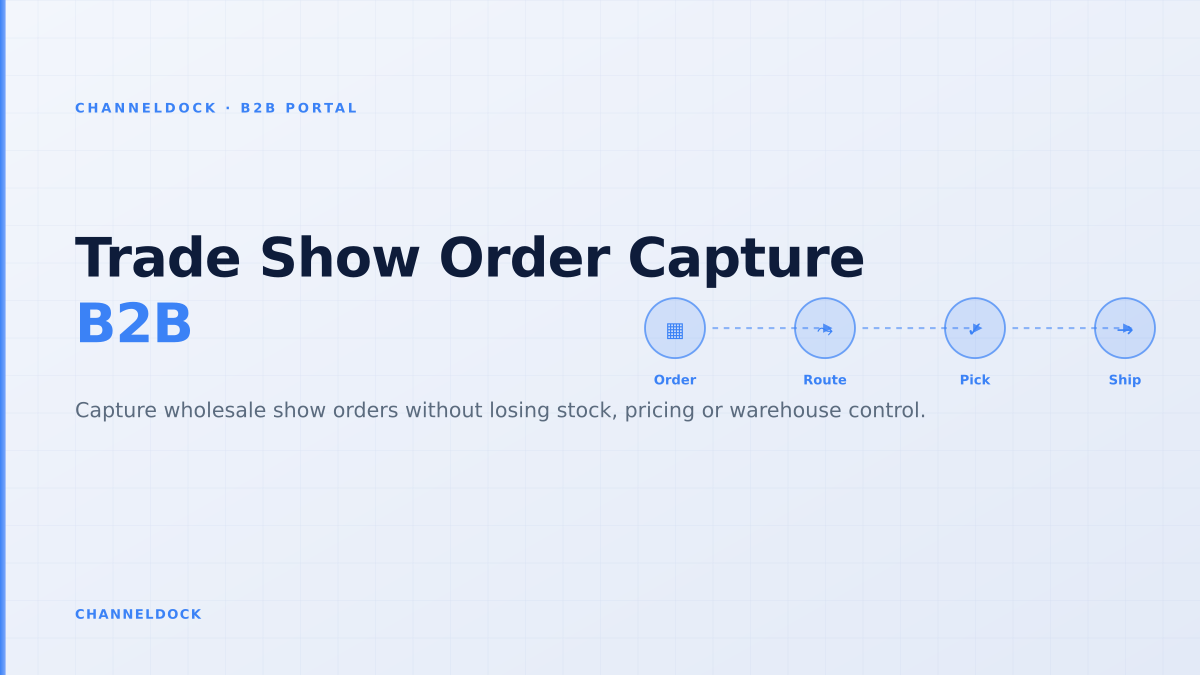
Trade Show Order Capture Software: The B2B Portal Control Layer
At a busy wholesale event in 2026, the problem is rarely that reps cannot take an order. The problem is that they can take too many orders too quickly, without the same stock, pricing, credit and warehouse checks that protect the normal B2B portal flow.
Search results for trade show order capture software usually focus on tablets, offline catalogs and lead capture. Those features matter. But for distributors and brands that ship from a real warehouse, the larger question is what happens after the rep taps submit: does the order reserve stock, respect customer-specific prices, route exceptions and become pickable without re-keying?
Why trade show orders break normal operations
Trade shows compress a month of sales conversations into a few days. Reps work from tablets, buyers ask for show-only assortments, and managers want commitments before competitors win the shelf space. In that environment, speed feels like the only metric.
But wholesale orders are not D2C checkouts. A buyer may have negotiated prices, multiple ship-to addresses, a branch-level budget, net terms, minimum order quantities, pallet constraints and approval rules. If the event app captures the order but the operational rules live somewhere else, every line becomes a reconciliation task.
Offline capture is useful only if it syncs into a controlled release queue. If offline orders bypass stock reservation, credit terms or unit-of-measure validation, the app simply creates cleaner-looking exceptions for the warehouse to fix later.
What competitors usually cover, and what they miss
Competitor pages from trade show app vendors tend to cover the visible booth workflow: digital catalogs, badge scans, offline order entry, barcode scanning, product imagery and quick quote creation. Those are necessary table stakes for wholesale teams that sell in showrooms, exhibitions or road visits.
The weaker part is downstream control. A rep can write an order against stock that changed two hours ago. A buyer can request a pack size the warehouse does not pick. A discount can look valid in a show app but conflict with a customer-specific price list. A purchase order number can be duplicated across branch locations. None of those issues are solved by a prettier catalog.
This is where a connected B2B ordering portal matters. The portal should be the rule layer between sales intent and warehouse execution, not just another storefront beside the event app.
The five-step workflow for clean trade show capture
The safest pattern is to separate capture from release. Reps should be able to work quickly on the show floor, while operations keeps control over what becomes a confirmed warehouse order.
- 1Freeze the show catalog before doors openPublish only the SKUs, variants, bundles and case packs reps may sell at the event. Include customer-specific price lists and minimum order quantities, not just product imagery.
- 2Cache enough data for offline sellingThe tablet should carry buyer records, approved ship-to addresses, negotiated pricing, barcode aliases, pack sizes and last-known available stock. It should also mark which fields are stale.
- 3Capture the buyer commitment as a draft orderA trade show order is a commercial signal first. Keep it editable until stock, payment terms, delivery windows and approval rules are checked in the B2B portal.
- 4Run the portal rules before warehouse releaseValidate credit limits, customer permissions, duplicate purchase order numbers, substitutions, backorders and split shipments before the order reaches pick and pack.
- 5Send one acknowledgement back to the buyerConfirm accepted quantities, changed delivery dates, unavailable lines and next steps. The buyer should not need to chase the rep, finance and the warehouse separately.
Inventory visibility is not the same as inventory control
Many trade show tools advertise real-time inventory. The phrase sounds reassuring, but it can mean anything from a nightly ERP export to a true available-to-promise calculation. For wholesale events, that difference decides whether the warehouse ships cleanly or starts apologising after the booth closes.
A useful stock promise distinguishes five numbers: on-hand stock, already reserved stock, inbound stock, customer-specific allocation and the safety buffer held back for ecommerce or marketplaces. If the app only shows on-hand stock, reps may sell inventory that is already committed elsewhere.
ChannelDock teams can extend the same logic through inventory controls, order handling and warehouse workflows. The goal is not to block sales. The goal is to show reps which quantities can be promised, which lines need approval and which lines should become backorders before the buyer leaves the stand.
Order-taking app vs portal control layer
The most important buying decision is not whether the interface works on an iPad. It is whether trade show orders join the same operational flow as B2B portal orders, EDI orders, sales rep orders and manually cleaned email orders.
Order-taking app only
- Fast booth capture, but post-show cleanup still depends on operations
- Stock shown as a number, not a reservation or release rule
- Rep owns exceptions in notes, email or spreadsheets
- Warehouse receives surprises after the event rush
B2B portal control layerRecommended
- Rep, buyer and EDI orders enter one operational queue
- Pricing, units, credit and buyer permissions are validated before release
- Unavailable lines become explicit backorders or substitutions
- Pick and pack receives a warehouse-ready order, not a sales promise
The data fields that prevent post-show chaos
A high-quality trade show order should carry more than SKU and quantity. It should include the buyer account, contact, ship-to location, requested delivery window, purchase order number, price list, discount reason, payment terms, rep ID, event code and any approval status. Without those fields, finance and fulfillment have to reconstruct the deal from notes.
Barcode scanning helps only when barcode aliases map back to the correct SKU, unit and pack size. A scanned sample in the booth may represent a case, an inner pack, a display bundle or a single replacement part. The portal rules should translate that choice into the unit the warehouse actually picks.
A trade show order is not finished when it is captured. It is finished when the buyer commitment, stock promise and warehouse instruction all describe the same order.
Approval rules should protect sales momentum
Approval workflows often sound like friction, but in B2B they protect the relationship. If a buyer exceeds a credit limit, uses an expired contract price or orders outside their branch permissions, the worst time to discover that is after the warehouse has picked half the order.
The approval queue should be practical. Low-risk orders flow through automatically. Exceptions route to the right owner: sales for discount changes, finance for payment terms, operations for unavailable stock, and customer service for ship-to changes. Once approved, the order can move into order processing and then into pick and pack without another re-entry step.
How to evaluate trade show order capture software
Ask vendors to demonstrate the messy cases, not the perfect booth order. Can the rep create an order with no Wi-Fi, reconnect later and see exactly which lines changed? Can operations split available and backordered quantities? Can a duplicate purchase order number be stopped? Can customer-specific pricing survive offline mode? Can the warehouse see the approved delivery window and pack instructions?
If the answer is unclear, the system may still be useful for lead capture, but it is not yet the operational backbone for wholesale orders. For brands and distributors that already run inventory, marketplace, ERP or WMS workflows through ChannelDock, the better model is to let the event layer capture demand and let the portal layer decide what is safe to release.
- Judge trade show order capture software by exception handling, not only by tablet speed.
- Treat every show order as a draft until B2B portal rules confirm price, stock, credit and warehouse routing.
- Connect rep orders to the same operational backbone as your customer portal, ERP, WMS and pick-pack workflow.
- Give buyers a clean acknowledgement after the event so sales momentum does not become support volume.
FAQ
What is trade show order capture software?
Is offline order entry enough for B2B trade shows?
How should trade show orders connect to inventory?
Should trade show orders go straight to the WMS?
Where does ChannelDock fit in this workflow?
Conclusion
Trade show order capture software should make wholesale selling faster, but speed without control only moves the work downstream. The winning setup combines offline rep capture with B2B portal rules for pricing, inventory, buyer permissions and warehouse release.
For ChannelDock customers, that means treating trade show orders as part of the same operational system as portal orders, EDI orders and normal ecommerce orders. Capture the commitment at the booth, validate it through the portal, then release only clean orders to the warehouse.